
Your Business on Someone Else's Phone: The Hidden Cost of Personal Messengers
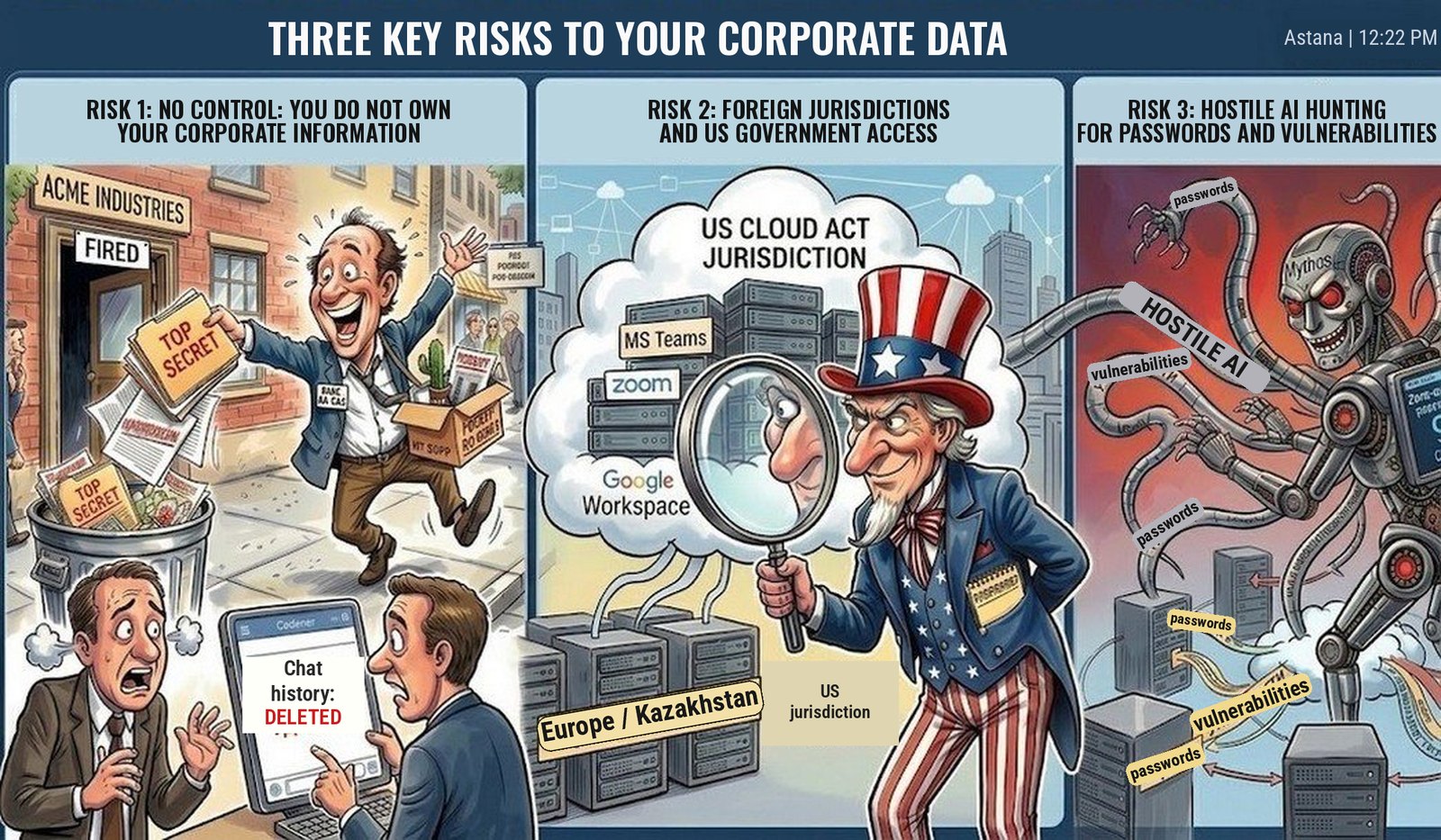
On Friday, a sales manager discusses a discount with a client, sends over the contract and agrees on payment terms. On Monday, he quits. His corporate email is shut off, his access badge is deactivated, his laptop goes back to IT. But the negotiations stay in his personal messenger, along with the client’s contacts, the documents and the agreements that exist nowhere else. The company has locked the employee out of the office. He still has access to part of the business.
This is what a risk looks like when it is easy to ignore as long as everything works. Personal messengers are convenient and familiar, and you can start a conversation in seconds. That is exactly why work information quietly ends up in places where the company cannot fully manage how it is stored, shared and deleted.
A single account holds family photos, commercial offers, salary discussions and client documents side by side. Pick the wrong recipient and an internal file becomes someone else’s property, at least in practice. A lost phone or a hijacked account opens the way to work conversations. And a former employee can keep access to chats and downloaded materials after leaving.
A leak does not require anyone to break into the corporate network. All it takes is for the right document to end up outside it once.
Encryption alone does not solve this. It can protect messages in transit, but it does not stop someone from sending a file to the wrong person, copying it, or using an account that is already open. A secure channel is not the same as a managed corporate environment.
When the history of your work sits in personal accounts, your business depends on the people who own them.
- Who will reconstruct the agreements after a dispute with an employee?
- How do you hand a client over to a new manager?
- Where do you find the final approved version of an offer?
- What happens if the account or the chat is deleted, or the person you need stops responding?
Deletion and recovery options vary from service to service. But without a corporate archive, a company risks losing the only copy of important information it has access to.
A personal account does not turn every work document in it into the employee’s personal property. The danger lies elsewhere: the company may have legal rights to the information but no technical way to get it back quickly and stop it from spreading.
Responsibility does not disappear along with control, either. If personal data of clients or employees is processed in these chats, the organization must protect it properly and be able to prove it. Choosing a consumer messenger is not in itself an automatic violation of the laws of Kazakhstan or the European GDPR. But uncontrolled copies, an unknown circle of recipients and no retention rules make it very hard to meet their requirements. “That’s just how our employees chose to communicate” is no explanation for why confidential information ended up in dozens of personal accounts.
There is another layer of dependence: the provider’s infrastructure and jurisdiction. Business services such as Microsoft Teams, Zoom or Google Workspace give companies administrative tools. But even a corporate cloud product calls for an assessment of who controls the data, who has technical access and which laws apply to the provider. The US CLOUD Act allows a provider subject to US jurisdiction to be compelled to hand over certain data in its possession, custody or control, regardless of where that data is stored. A request from a foreign authority is not, on its own, sufficient grounds for transferring personal data. For a business, this means sorting out potential conflicts between obligations and laws in advance, rather than discovering the terms of access after such a request arrives.
A company needs a corporate messenger first and foremost to regain control over its work information
A managed communication environment should let you create corporate accounts, assign permissions, revoke access when someone leaves and store work history under set rules. When choosing one, check how it handles logging, backup, recovery and access for external participants. Having the word “corporate” in a product’s name, or a “verified business account” badge in Telegram or WhatsApp, guarantees none of this.
One example of this approach is aXtura. The platform brings together messaging, calls, video conferencing, file sharing and access to internal services in an environment deployed on the organization’s own infrastructure. For a business, the value of this architecture lies in being able to decide for itself where data is hosted and who can access it.
That said, running your own server and using a product made in Kazakhstan do not guarantee protection on their own. What matters is the specific configuration, the contracts, the work of administrators, updates, key management and data handling procedures. Protection has to be built into the organization’s processes at every stage of handling information.
Finally, even the right platform will be useless if employees keep working in personal chats. Migration requires convenient mobile access, a clear way to communicate with external participants, training, and rules for handing over work materials. Chats, calls, files and internal services should help people get their work done without constantly falling back on unmanaged tools.
A free messenger can cost a business dearly: lost negotiation history, exposed deal terms, a botched client handover and no way to tell how far a leak has gone.
You can check where you stand with one simple question: if a key employee leaves tomorrow, will the company keep his work agreements and be able to control who has access to them from then on?
If the answer depends on his goodwill, part of your business is already out of your control.
First published on the Astana Hub blog, 15 September 2026.